
App for Android
Lessons, mock exams and Wang on your phone. Choose how to install:
- APK from the website
The app from our website. You can pay for Pro by card through Paddle right in the app.
Install the appVersion 1.1 · 4.0 MB · Android 7.0 or later - Web version (PWA)
Nothing to download: the website goes on your phone's home screen like an app. Pro is paid on our website.
- Google Play
The app from the store, updated through Google Play. Pro is paid on our website.
Your account, progress and Pro are shared across all three.
What's inside
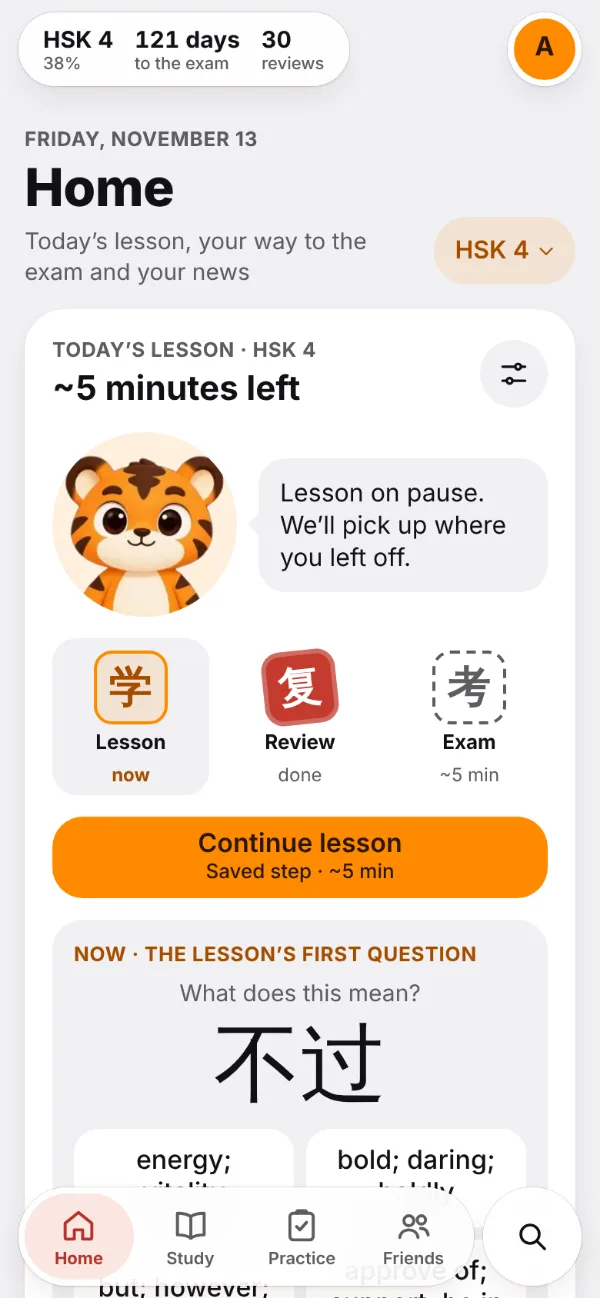 A lesson every dayWang puts the lesson together: new words, review and the way to the exam
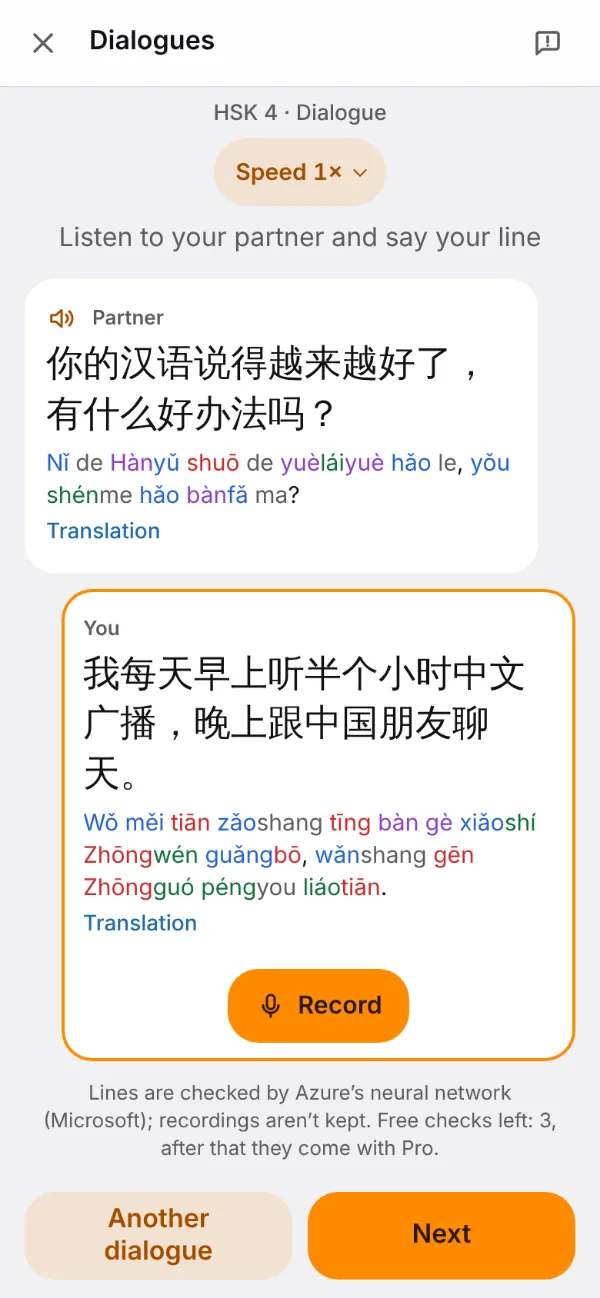 Dialogues out loudAnswer the other person by voice, a neural network checks your line
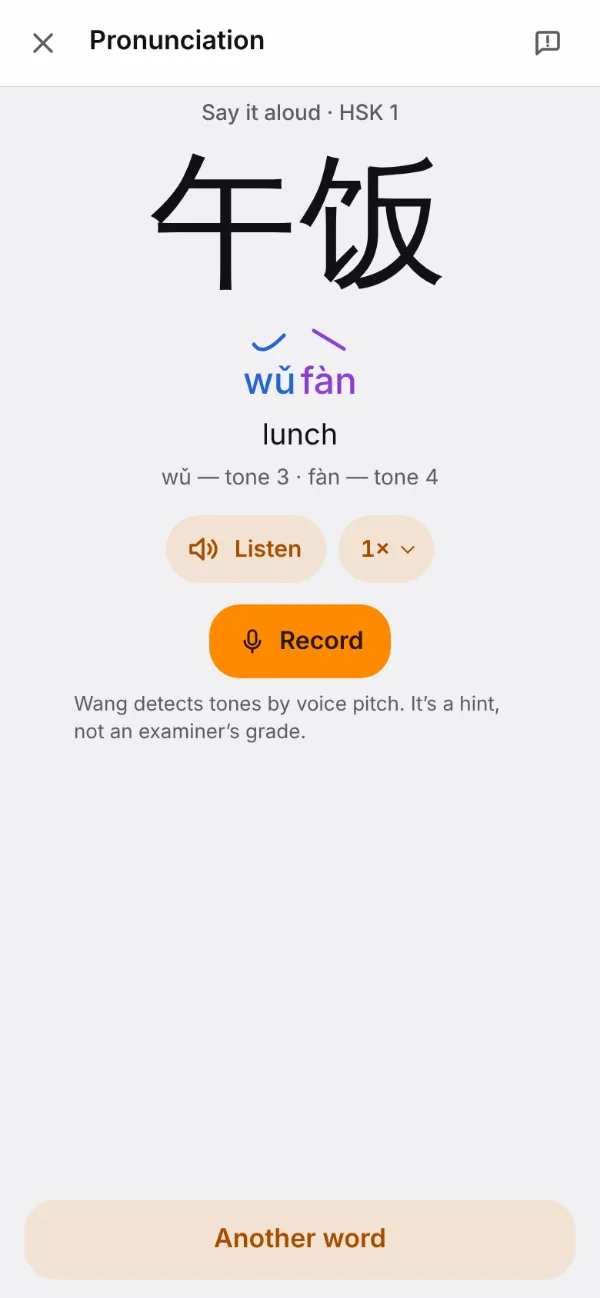 Tones by voiceSay a word and Wang shows which tone he heard
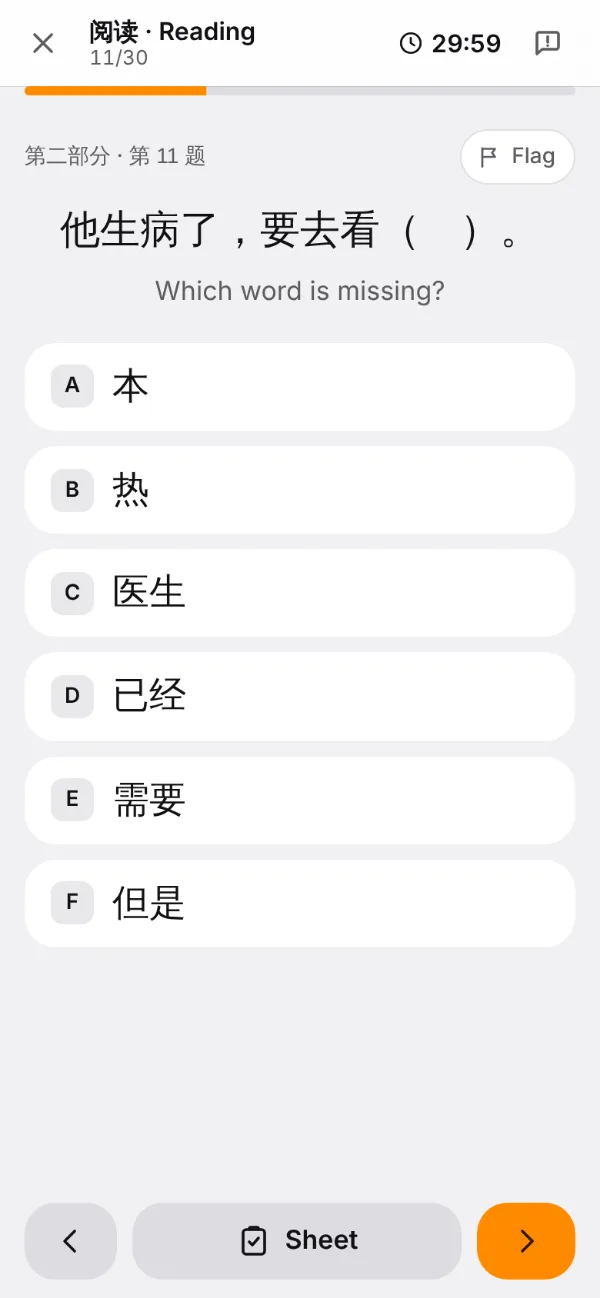 HSK mock examsLike the official samples: with a timer and an answer sheet
xiàzài下载
That’s “download”. The lessons, the mock tests and I are the same as on the website, and your progress is shared.
How to install the APK
- Open this page on an Android phone and tap “Install the app”.
- Open the downloaded file. If the phone asks, allow your browser to install apps: Android asks this about any app that isn’t from Google Play.
- Tap “Install” and open Master Wang. Sign in the same way as on the website: your progress and Pro are shared.
Pro in the app
The same plans as on the website: $11.99 a month · $29.99 for 3 months · $99.99 a year. You pay by card in Paddle’s window, and the receipt comes by email.
Installed the web version or the app from Google Play? For them, you get Pro on the website. How to get Pro
Questions
How is this version different from the app on Google Play?
The lessons, mock tests and account are the same. The difference is payment: here you get Pro inside the app, in the Google Play version on the website.
Can I install both versions?
You can, but one is enough: it’s one account, with shared progress and Pro.
How do I update the app?
New lessons and fixes arrive by themselves, as on the website. A new version of the app itself: download it from this page and install it over the old one, your progress stays.
The phone warns me about installing it. Is it safe?
Android warns like this about any app that isn’t from a store. Download Master Wang only from masterwang.app: the file is signed with our key, its fingerprint is below.
Can I pay from Russia or Belarus?
No: Paddle doesn’t accept payments from Russia and Belarus.
How do I cancel the subscription?
In the app or on the website: “My plan” → “Cancel auto-renewal”. The days you paid for stay.
Signing certificate fingerprint (SHA-256): AC:9E:BF:C0:3A:D1:DC:07:18:08:A8:EA:95:94:99:B8:93:DF:10:F0:DD:72:E0:55:2E:39:7C:60:17:87:63:34
APK file (SHA-256): f812ad2030462e1953501c367e860de2959d77cbc2b6014710299fea75e70ad2