
App for iPhone and iPad
Lessons, mock exams and Wang on your iPhone and iPad. Choose how to install:
- App Store
The app from the App Store, updates by itself. Pro is an App Store subscription.
Download on the App StoreFree · iOS and iPadOS 15 or later - Web version (PWA)
If the App Store in your country doesn’t have the app, as in mainland China: the website goes on your Home Screen like an app.
Your account, progress and Pro are shared with the website.
What's inside
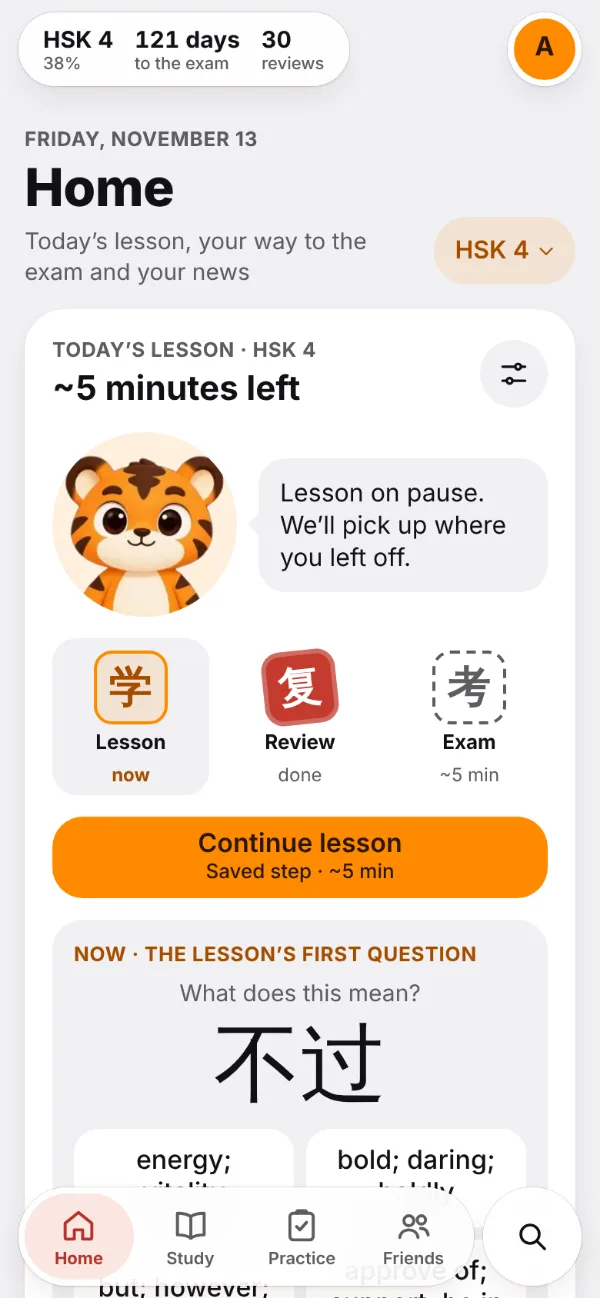 A lesson every dayWang puts the lesson together: new words, review and the way to the exam
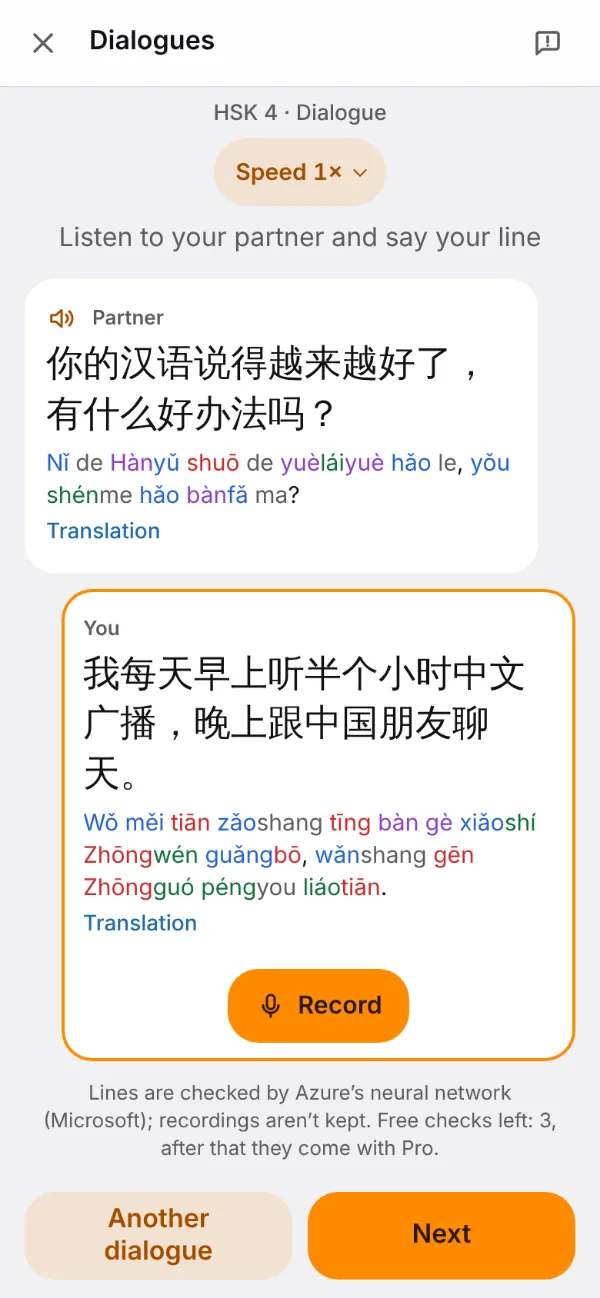 Dialogues out loudAnswer the other person by voice, a neural network checks your line
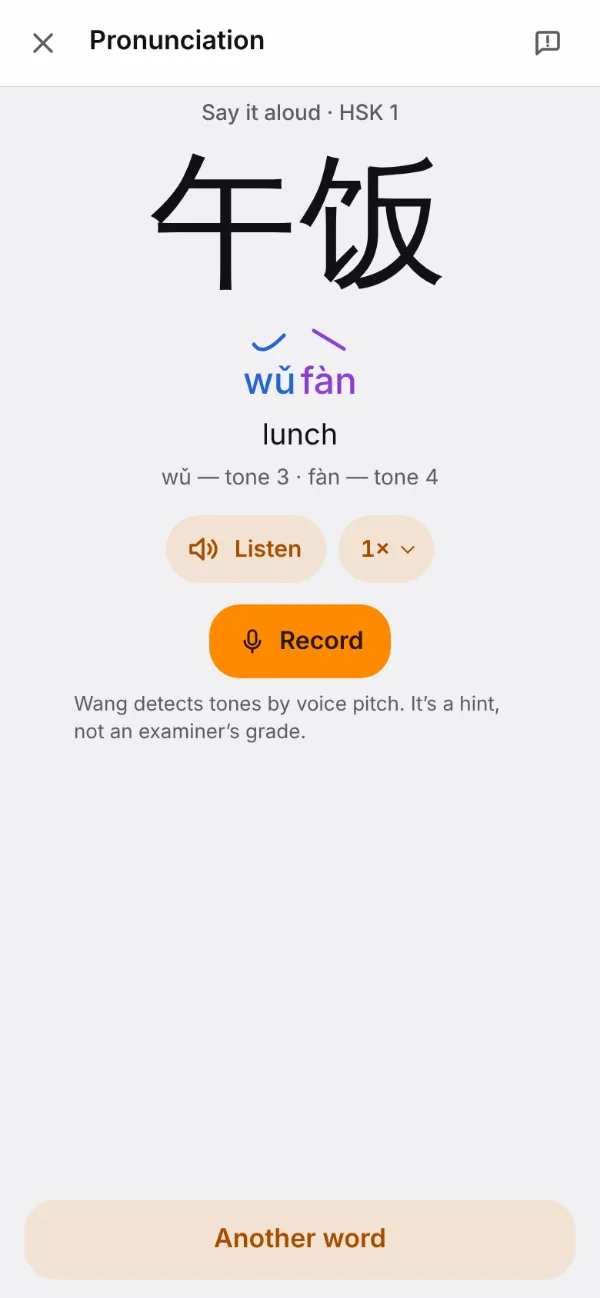 Tones by voiceSay a word and Wang shows which tone he heard
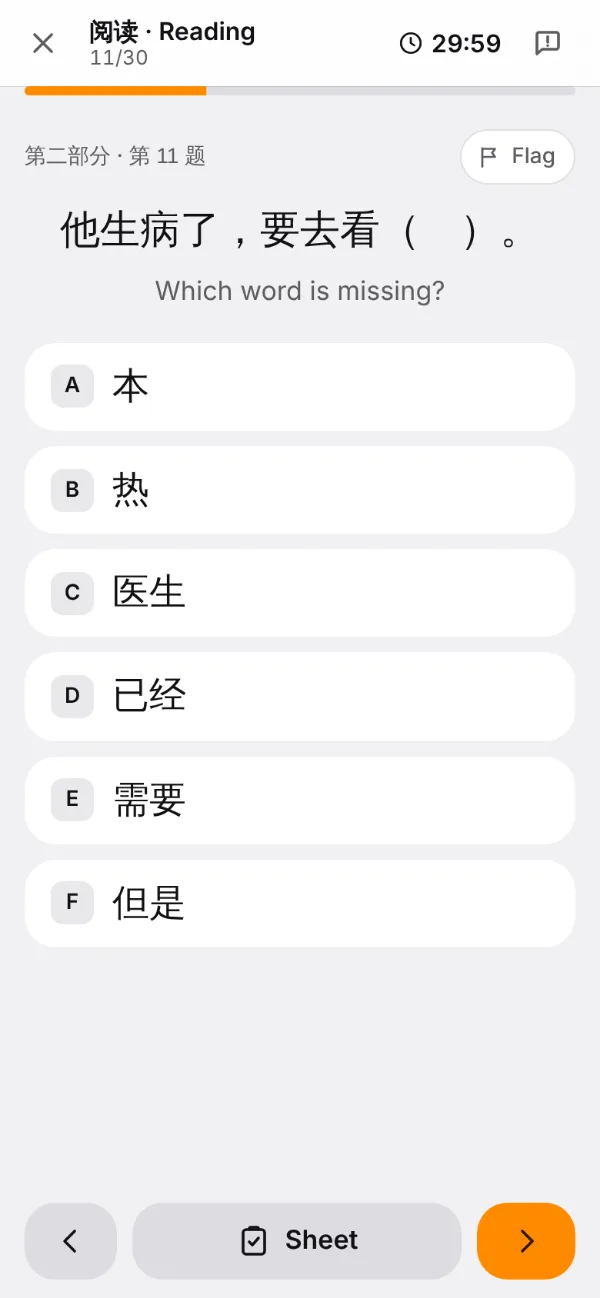 HSK mock examsLike the official samples: with a timer and an answer sheet
xiàzài下载
That’s “download”. The lessons, the mock tests and I are the same as on the website, and your progress is shared.
How to install
- Tap “Download on the App Store”. Master Wang opens in the App Store: tap “Get”.
- Open Master Wang. Sign in the same way as on the website: your progress and Pro are shared.
Pro in the app
In the app Pro is an App Store subscription: a month, 3 months or a year. The App Store shows the prices in your country’s currency and charges your Apple Account.
Got Pro on the website? Sign in to the app the same way, and Pro is there too.
Questions
Is the app free?
Yes: downloading Master Wang and studying are free. The “Basics” course, YCT 1–2, HSK 1 and review of all the words you’ve learned are free forever, and Pro opens the rest.
Which devices does it run on?
On iPhone and iPad with iOS or iPadOS 15 or later.
Do I need a new account?
No. Sign in to the app the same way as on the website: your progress and Pro stay with you. Signing in with another email makes a new account.
How do I cancel the subscription?
In the app: “My plan” → “Manage subscription”, or in the iPhone’s Settings: your name → “Subscriptions”. The days you paid for stay.
The app isn’t in my country’s App Store. What can I do?
It isn’t there in mainland China, for example. Install the web version (PWA): the “Install the web version (PWA)” button above shows where to tap in Safari. Same account and progress.